Statement of Applicability (SOA)🔗
The Statement of Applicability (SOA) is the central evidence document for your ISO 27001 scope.
Here you define:
- which standard requirements / controls are applicable to your scope,
- which are not applicable – including the justification,
- the implementation status (implementation level / fulfilment level),
- which measures, documents, processes, and scopes support the control.
The SOA is therefore a mandatory artefact for every ISO 27001 certification.
Getting started with the SOA🔗
- Open the ISMS ISO 27001 module.
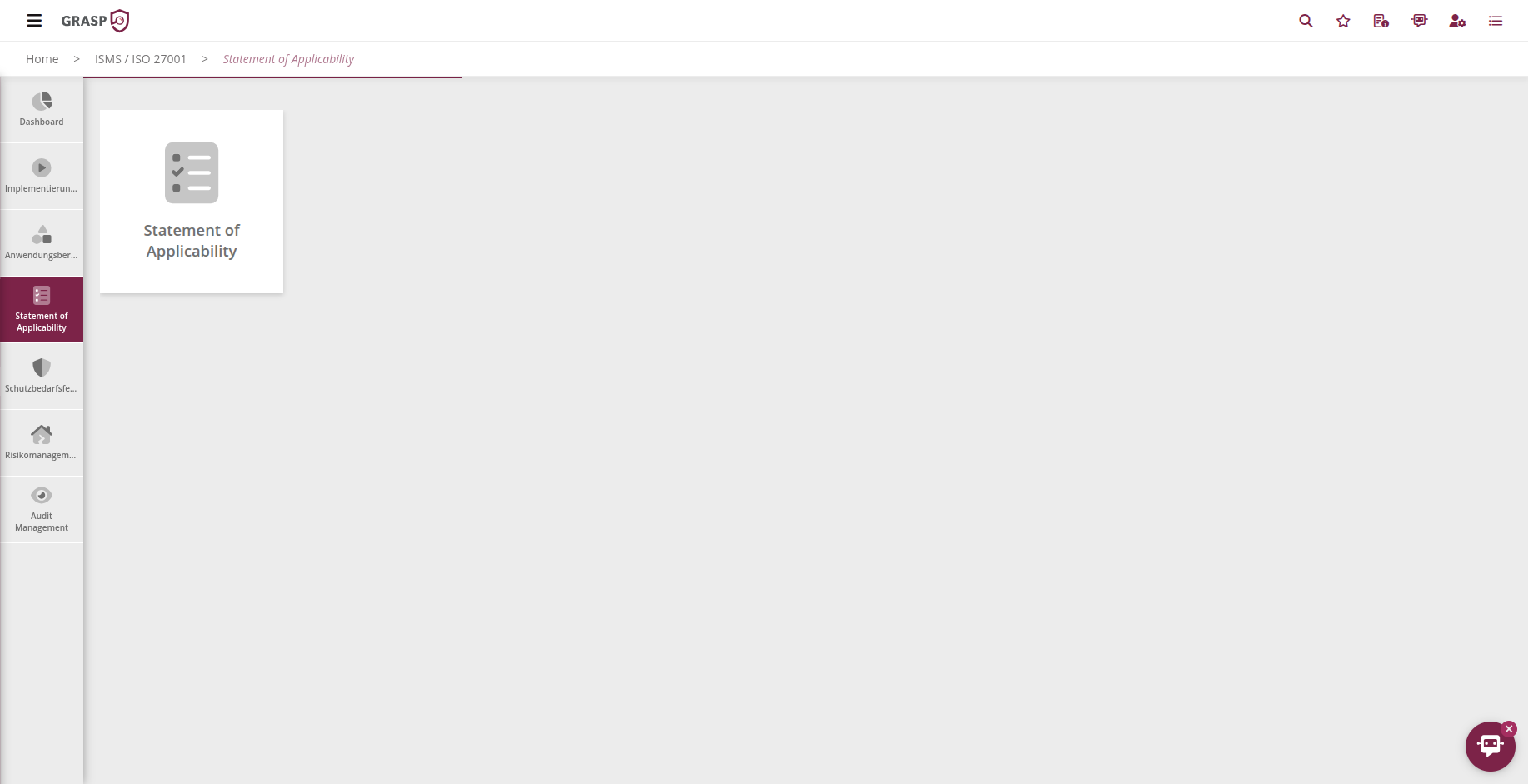
- Select the Statement of Applicability tile.
- At the top, choose:
- the scope for which you want to edit the SOA,
- the standard(s) you want to review (e.g. ISO/IEC 27001 Annex A).
GRASP then loads the controls of the selected standard(s) for this scope.
Structure of the SOA view🔗
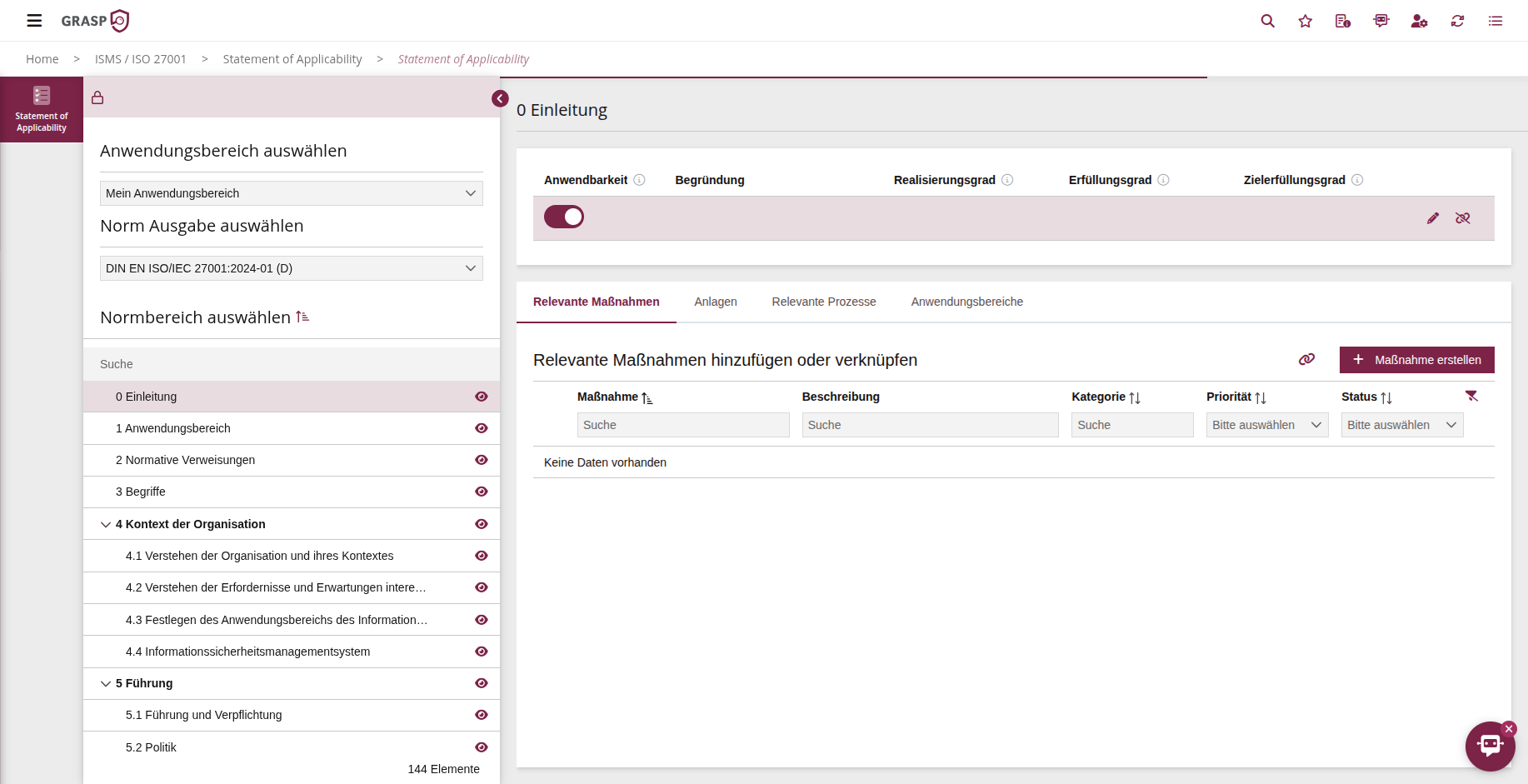
In the table you can see for each control area / standard, among other things:
- Name and ID of the control (e.g. "A.7.1 Physical security perimeters"),
- Applicability (applicable / not applicable),
- Justification of applicability,
- Implementation level, fulfilment level, and target fulfilment level,
- linked measures, documents, processes, scopes.
Via info icons next to the fields (e.g. implementation level) you can display help texts at any time explaining what exactly belongs in the field.
Managing applicability and justification🔗
For each control area / standard you decide:
-
Applicable
→ The standard is relevant to your scope (e.g. because you operate a data centre). -
Not applicable
→ The standard is not relevant in the specific scope (e.g. physical perimeters of a data centre when you exclusively use cloud services without operating your own facilities).
Procedure:
- Select a control in the list.
- Click "Connect" or the edit action.
- Choose applicability (applicable / not applicable).
- Provide a justification (mandatory field, important for auditors).
Especially for "not applicable", the justification is essential because the SOA provides the formal evidence for why you exclude a control.
Implementation level, fulfilment level, and target fulfilment level🔗
For applicable controls you also document the implementation status:
- Implementation level – to what extent have organisational/technical measures been implemented?
- Fulfilment level – how well does the implementation meet the standard requirement?
- Target fulfilment level – what target state should be reached (e.g. by the next audit cycle)?
The exact scale (e.g. 0–4 or percentage) depends on the configuration in your system. The info icons in the UI provide specific guidance.
Typical workflow:
- Assess the current state (implementation/fulfilment level).
- Define the desired target state (target fulfilment level).
- Where gaps exist, create or link corresponding measures.
Linking measures, documents, and processes🔗
For each control you can see at a glance how it is implemented:
- Measures – specific organisational or technical measures
- Attachments – policies, guidelines, concepts, protocols as implementation evidence
- Processes – operational procedures that support the control
- Scopes – if a control applies to multiple scopes
You can:
- link already existing measures/documents/processes, or
- create new ones directly from the SOA (e.g. a new measure for a missing control).
Important: Measures are reusable – you do not need to create them separately for each scope but can use them across multiple scopes and modules (e.g. ISO & IT-Grundschutz & BCM).
Typical workflow in the SOA🔗
-
Select scope and standard
→ e.g. scope "Security 2025", standard "ISO 27001 – Annex A". -
Review controls
- Define applicability,
- enter justifications,
- set implementation/fulfilment/target fulfilment levels.
-
Link or create measures and attachments
- Reuse existing measures/attachments,
- close gaps with new measures.
-
Prepare review with auditor / ISB
- Present the SOA as an export or directly in the tool,
- convert open items (e.g. target fulfilment level < 100 %) into measures.
Relationship with protection needs, risk, and audits🔗
- The SOA provides the standard reference: Which controls are relevant and how are they implemented?
- The protection-need assessment evaluates the protection requirements of your processes/assets.
- Risk management uses the protection-need assessment and SOA to prioritise risks and measures in a targeted manner.
- In audit management, SOA entries serve as the audit basis – in particular to demonstrate that you have a robust justification and implementation for all applicable controls.
The SOA is thus the connecting element between the standard text, the technical/organisational implementation, and the audit evidence.
View🔗