Assets🔗
In the application
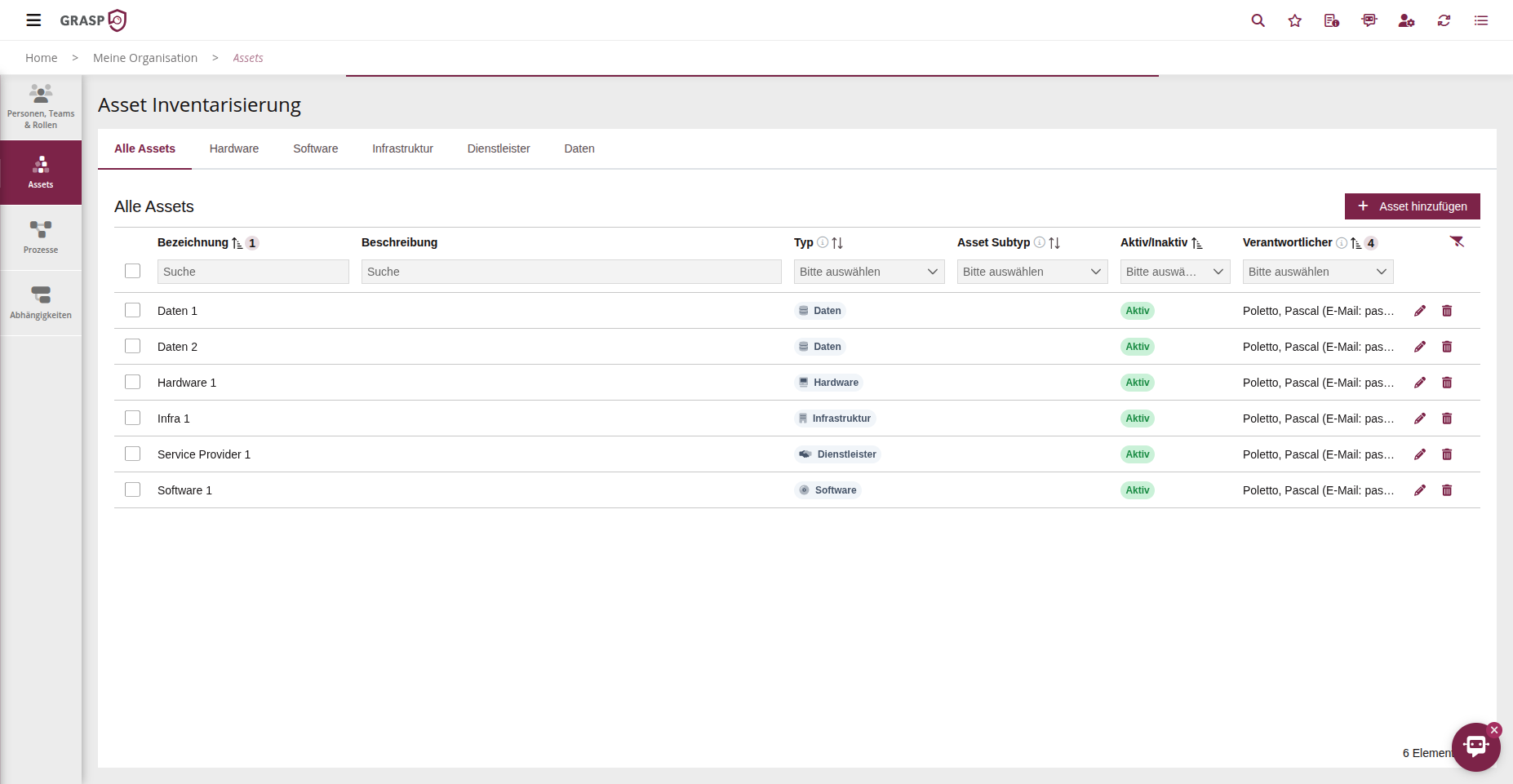
In the platform, this area is labelled "Asset Inventory".
Purpose🔗
The Assets area records all relevant assets of the organisation: hardware, software, infrastructure, services, providers and data.
The asset list is the foundation for protection needs assessment, inheritance, risk management and audit. Subtypes allow finer categorisation (e.g. server, database, application).
Usage🔗
- Select the appropriate asset category (e.g. hardware, software, data, service providers).
- Click on + New Asset.
- Assign a name and description.
- Select an existing subtype or create a new subtype directly in the dialog (e.g. "application server").
- Set a responsible person.
The responsible person will later automatically receive emails regarding deadlines and status as soon as the asset is used in actions, policies or protection needs assessments.
Repeat these steps for all relevant asset types to build a complete inventory.
Tips🔗
- Use consistent naming conventions (e.g. system abbreviation + environment).
- Subtypes help with evaluation and filtering (e.g. all "production servers").
View🔗